How to Use DISC Across a Whole Team: One Shared Guide for Team Members, Managers, and HR
The short answerTo use DISC across a whole team, give everyone the same shared guide: each person's style, how they like to communicate, and how each pair can work together. Team members use it to work with each other, managers use it to lead each report, and HR uses it to see the team's overall shape.
Most DISC reports end up in a drawer. Each person gets a PDF about themselves, reads it once, nods at the parts that sound familiar, and goes back to work. The insight stays private, so it never changes how two people actually talk to each other on a Tuesday afternoon.
The value of DISC shows up between people, not inside one person. That's why Jason's ongoing coaching engagements include the Team DISC Studio, a shared, team-wide guide that turns a stack of individual reports into something the whole team uses.
Why a shared guide works better than individual reports
A personal report tells you about yourself. Work happens in pairs and groups: a manager and a report, two peers on a project, a leadership team in a room. What helps is knowing how you and this person fit together, and what to do about the gap.
Managers matter most here. Gallup's research for its State of the American Manager report found that managers account for at least 70 percent of the variance in employee engagement scores across business units. The same work found that about one in two adults had left a job at some point to get away from a manager. When a manager understands how each person on their team prefers to work, the most important relationship at work gets easier to get right.
What the Team DISC Studio is
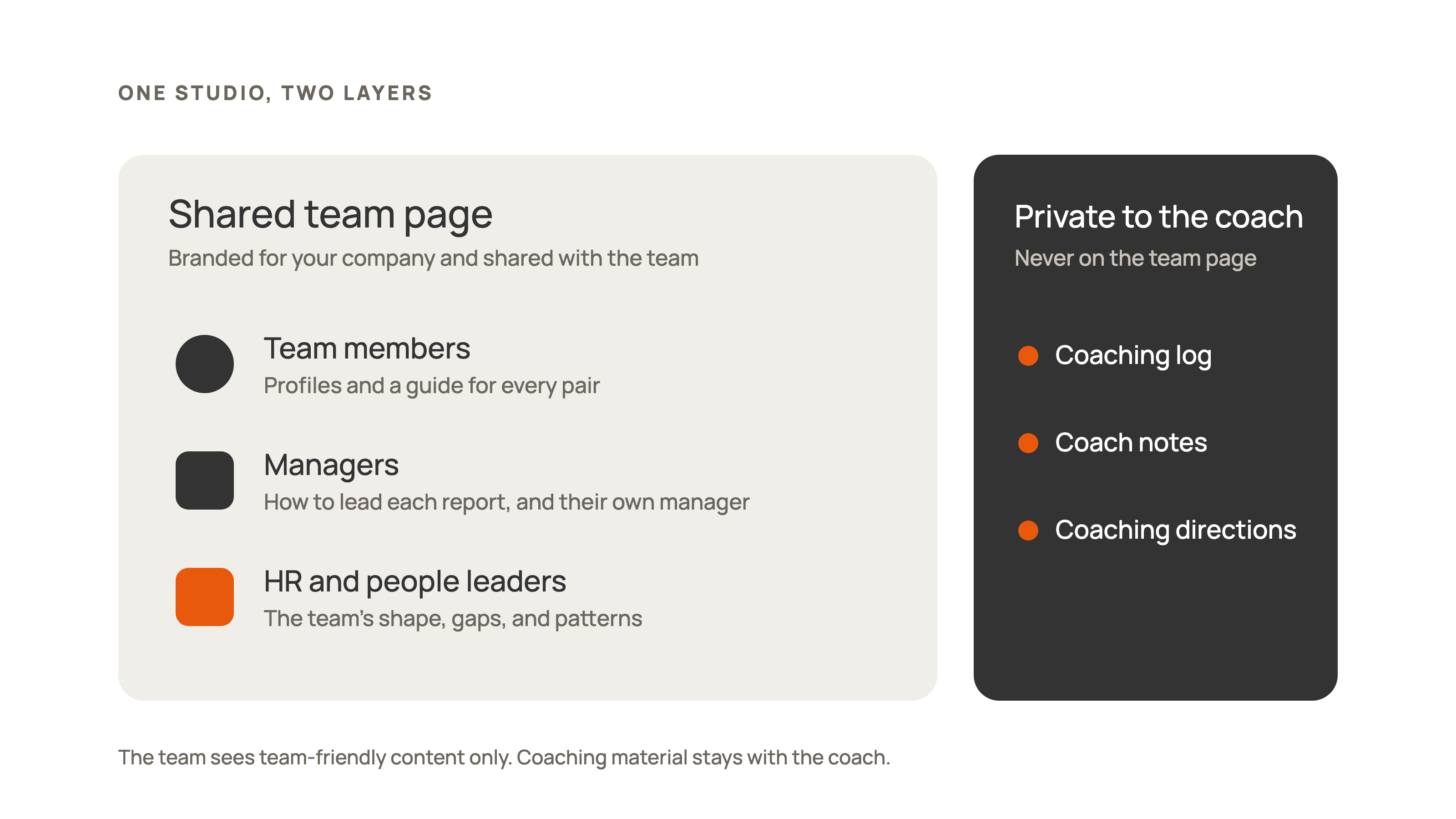
The Team DISC Studio is a tool Jason Neman, founder of Meaning + Method and an ICA fully accredited DISC coach, uses with every team he coaches. It has two layers:
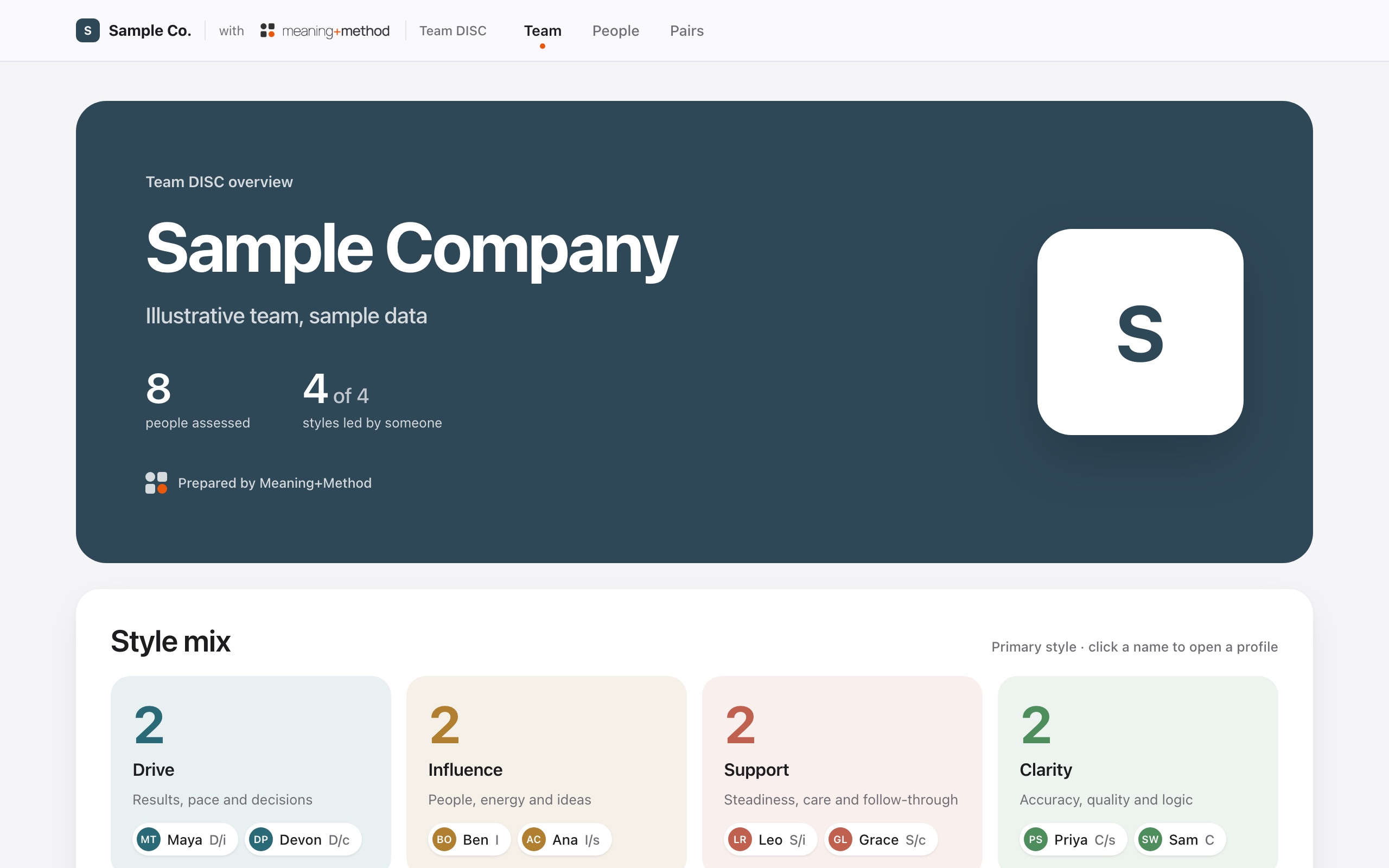
- A shared team page. A team dashboard branded for your company: the team's style mix, a map of where everyone sits, a profile for each person, and a guide for every pair. It can be shared as a link or sent as a single file that opens in any browser.
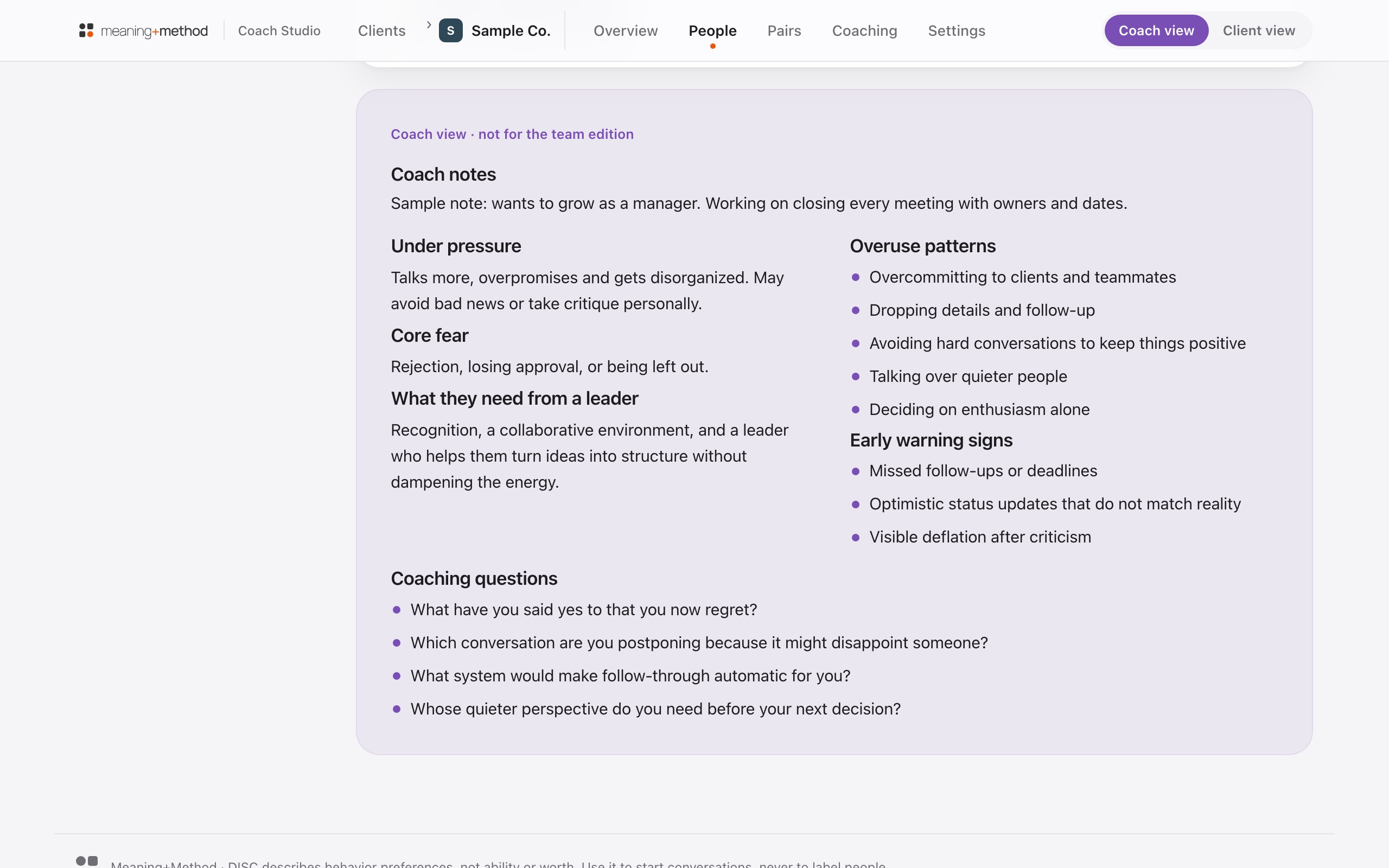
- A private coaching layer. Jason's own workspace: his coaching log, session notes, and the current coaching direction for each person and for the team. None of it appears on the team page.
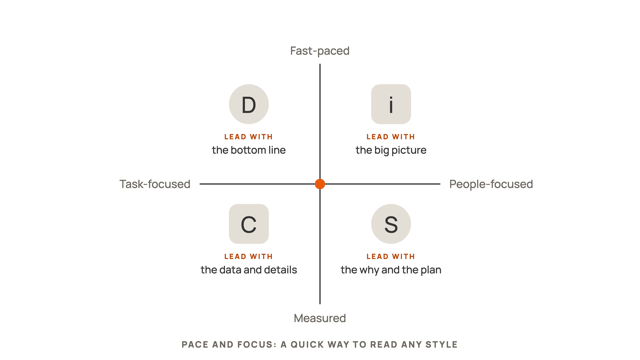
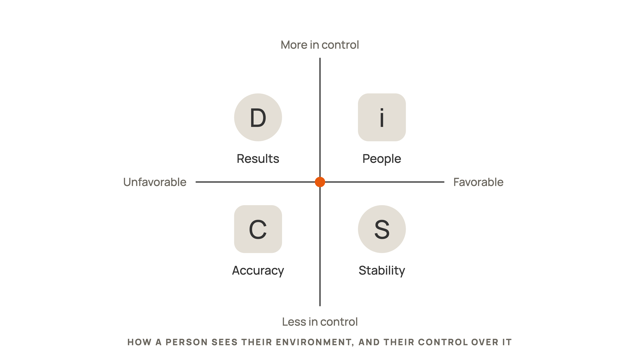
The studio describes the four styles in plain language: Drive (D), Influence (i), Support (S), and Clarity (C). Every profile also shows the two dimensions underneath the style: pace, which is how quickly someone speaks up and acts, and focus, which is whether they lean toward the task or the people first.
What team members get
For team members, the studio answers the question most people never get to ask out loud: "How do I work well with you?"
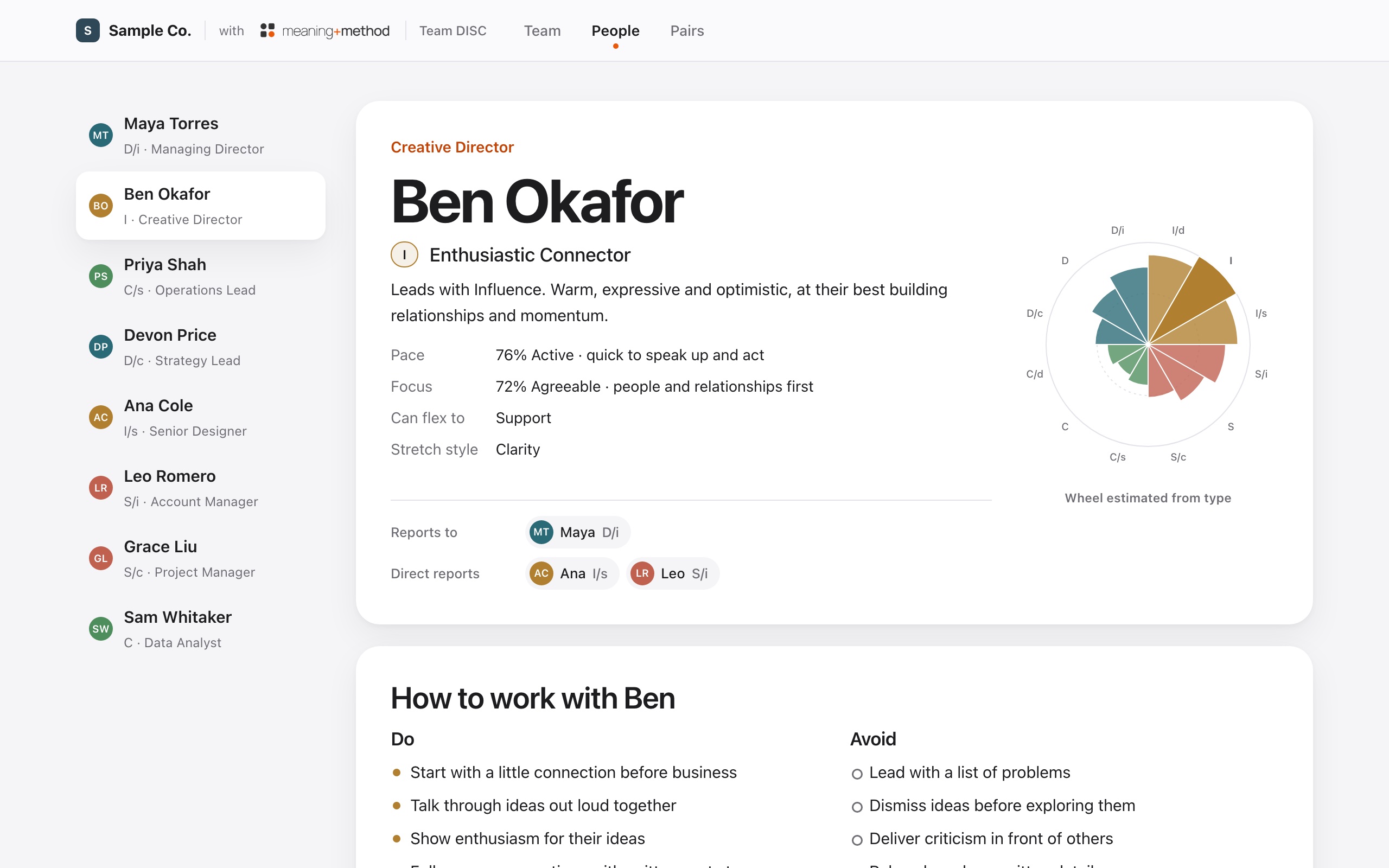
- Their own profile. What motivates them, where they're strong, what energizes and drains them, how they make decisions, and how they like to receive feedback.
- Everyone else's profile. The same view for each teammate, including do's and don'ts for communicating with them and the format they prefer, like a quick call, a short written recap, or a meeting with an agenda.
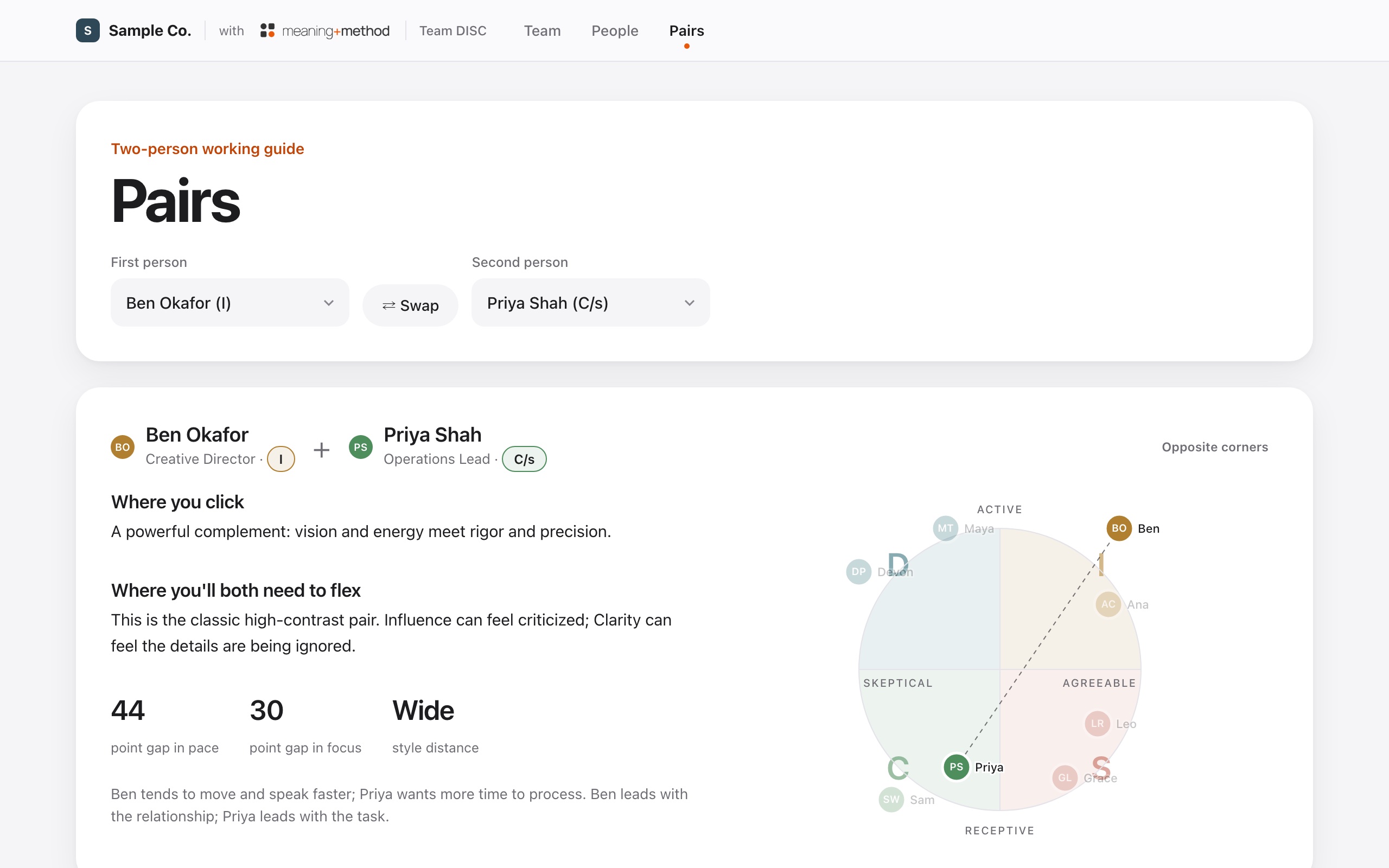
- A guide for any pair. Pick two people and the studio shows what naturally clicks between their styles, where each will need to flex, how to put the difference to work, and a few working agreements to try.
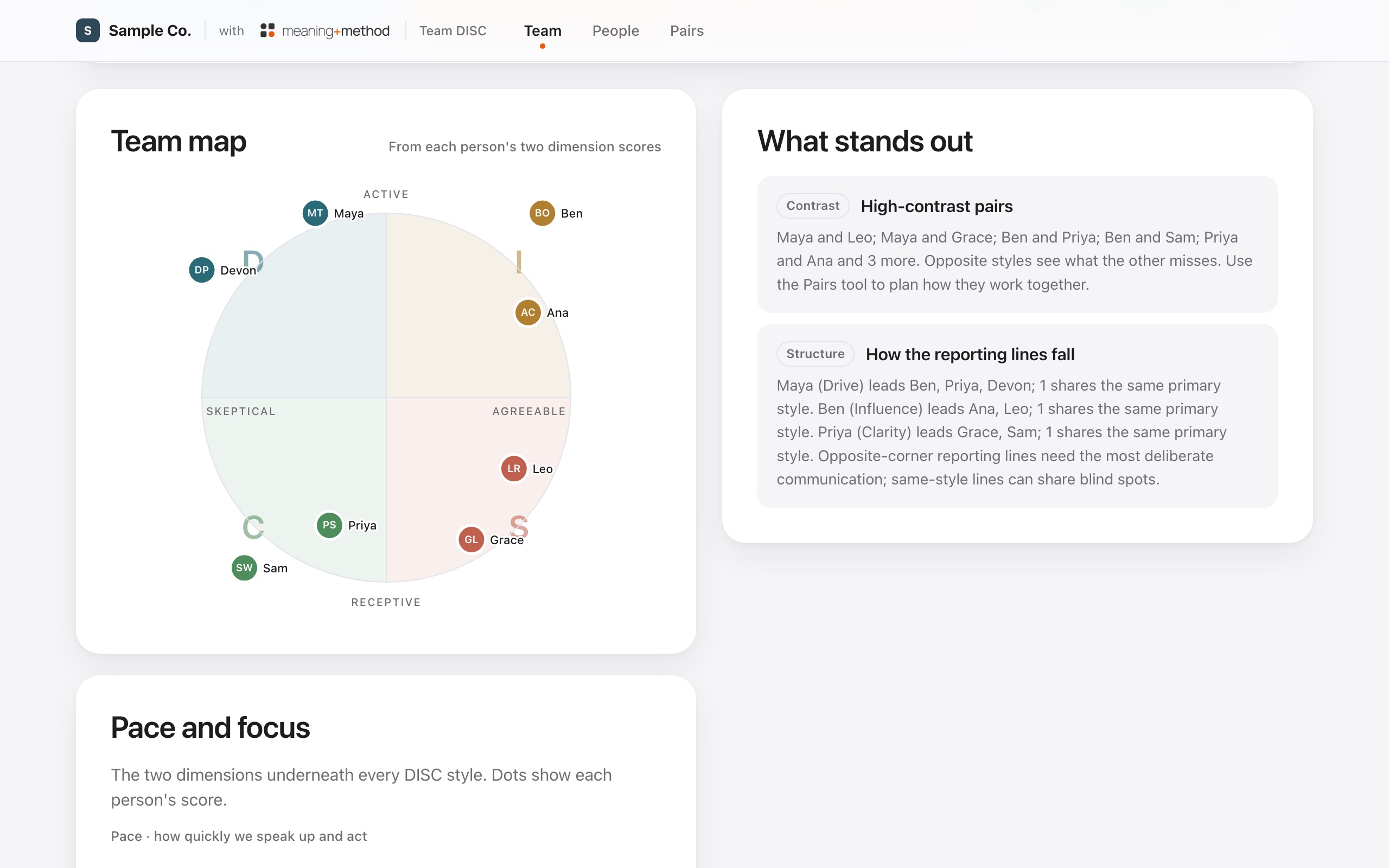
- A team map. One picture of where everyone sits by pace and focus, so the team can see at a glance why some meetings feel rushed to half the room and slow to the other half.
What managers get
Managers get everything team members see, plus guidance shaped by the reporting lines on the team.
- How to lead each report. For every direct report, a short note on leading that person given both styles, plus what they need in one-on-ones, when work is delegated, when they get feedback, and when they're recognized.
- How to work with their own manager. The same guidance pointed upward: what to bring, how to disagree, and how to ask for what they need.
- Manager and report pairs. When the two people in a pair guide share a reporting line, the studio adds a panel on that specific relationship.
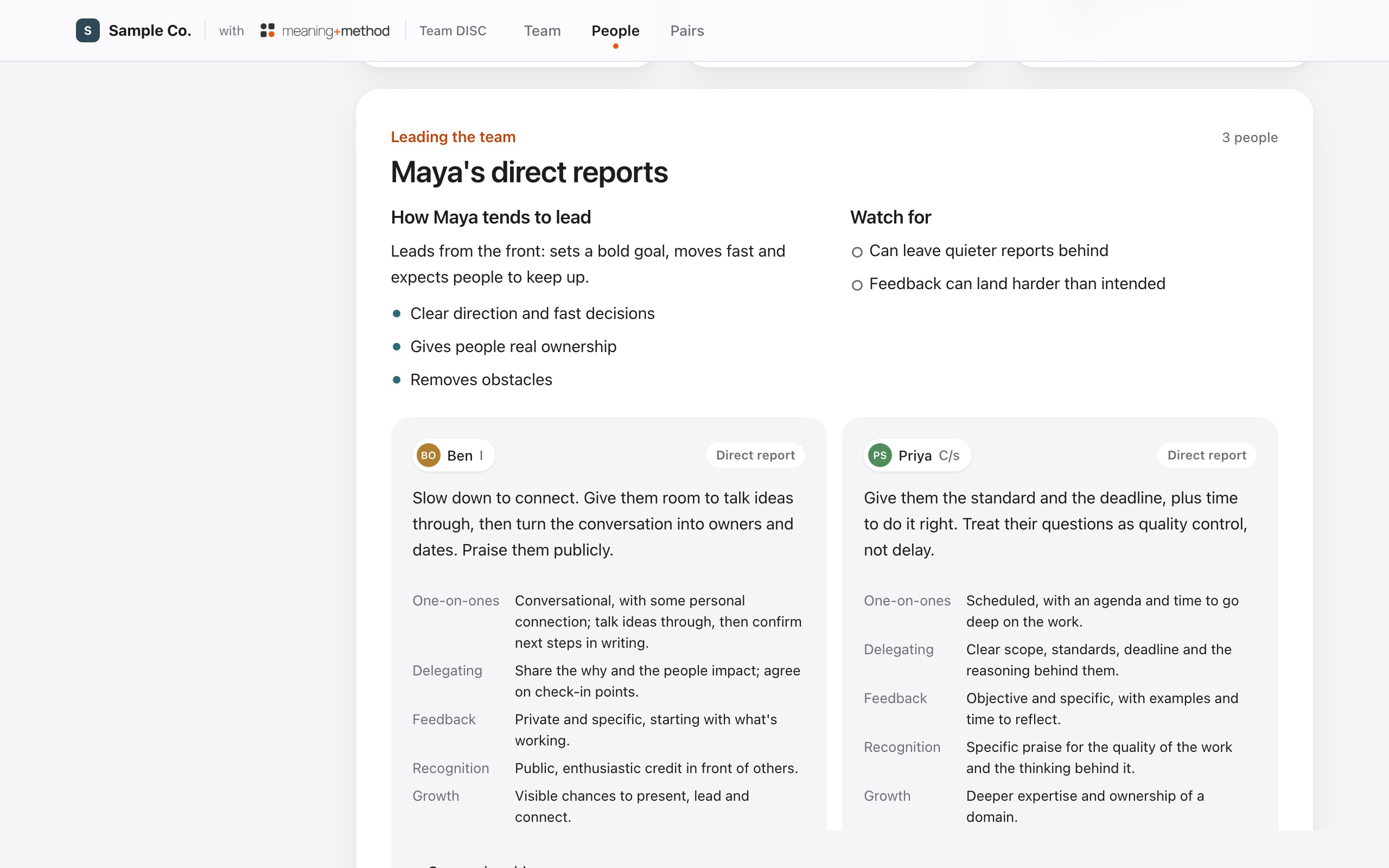
This is where the 70 percent figure becomes practical. A manager with five reports often has five different ideal one-on-ones. The studio makes those differences visible before a frustrating quarter does.
What HR and people leaders get
For HR and people leaders, the value is the view across the whole team.
- The team's shape. How many people lead with each style, the average shape of the whole team, and how the room splits between fast and reflective.
- What stands out. The studio flags patterns automatically: a style nobody leads with, a style that has become the team's home base, a room that moves fast or one that thinks first, high-contrast pairs, how the reporting lines fall, and people with versatile profiles who can translate between very different teammates.
- A faster start for new hires. A new team member can read their teammates' profiles in the first week instead of learning everyone's preferences by trial and error.
- A shared language for friction. When two people are stuck, the pair guide gives HR a neutral starting point. The conversation moves from "you're difficult" to "we prefer different paces, so let's agree how we'll work."
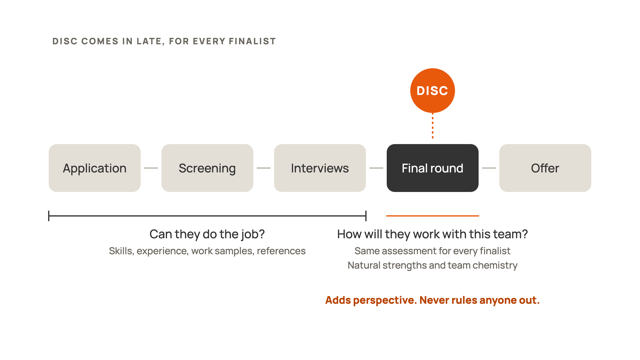
In late-round hiring, the team's shape can also help a hiring team think about the natural strengths a finalist would add and how they'd fit with the people around them. It informs the conversation about chemistry. It is never used to screen anyone out.
What stays private
Trust is what makes a shared guide work, so the studio keeps a firm line between what the team sees and what stays with the coach.
The team page only includes team-friendly content: styles, scores, profiles, pair guides, team notes, and team insights. Jason's private layer holds the coaching log, his notes on each person, the current coaching direction for each person and the team, and coaching material about how each style behaves under pressure. That layer is never included on the team page.
When reports are imported, the studio keeps the style scores from each person's DISC report rather than the whole document.
How to roll it out in six steps
- Start with the why. Leadership explains what the team is doing and what it isn't: a shared language for working together, not an evaluation.
- Assess everyone. Each person completes a DISC assessment. Jason imports the results into the studio and adds the reporting lines.
- Debrief together. Jason walks the team through its overview in a working session: the style mix, the map, and what stands out. People see their own profile and how it relates to the people they work with most.
- Share the team page. Everyone gets the branded team page as a link or a file they can open anytime.
- Build it into the rhythm. Managers bring it to one-on-ones. Project leads open the pair guides at kickoff. HR uses it in onboarding and when friction shows up.
- Keep coaching. Jason uses the private layer to track each person's progress and direction between sessions, and refreshes the team page when people join, leave, or change roles.
Guardrails that keep it useful
- Preferences, not ability. DISC describes how people prefer to behave. It doesn't measure talent, intelligence, or worth, and it should never be used to label anyone.
- Conversation starters, not verdicts. Every profile is a starting point for a conversation with the actual person, who knows themselves better than any report.
- Not a performance tool. Keep DISC out of performance ratings, compensation, and promotion decisions.
- Never a reason to exclude. In hiring, DISC can add to a late-round conversation about natural strengths and team chemistry. It never rules a candidate out.
- Keep it current. Teams change. Refresh the page when the people on it change, so nobody is working from an old picture of the team.
Frequently asked questions
Who can see the team page?
Whoever the company shares it with. Most teams share it with everyone on the team so the profiles and pair guides work in both directions. The page holds only team-friendly content. Coaching notes, the coaching log, and coaching directions stay in Jason's private layer.
Does HR see the coaching notes?
No. The coaching log, private notes, and coaching directions are kept in Jason's private coaching layer and never appear on the team page. HR sees the same team-friendly view as everyone else, with the team's shape, profiles, pair guides, and team insights.
Does the Team DISC Studio cost extra?
Not with ongoing coaching. Teams in ongoing coaching with Jason get the studio at no monthly cost. Teams that start with a shorter engagement, such as an initial consultation, DISC assessments, and one session per person, can keep the studio from $99 a month, priced by team size, with 10 percent off an annual plan. Each DISC assessment is $59 per person. See plans and pricing.
Can a team use DISC reports it already has?
Often, yes. Jason will look at the reports the team already has and confirm whether the results can be brought into the studio or whether a fresh assessment is the better starting point.
Can we use it in hiring?
Yes, carefully. In late rounds, the team's shape can help a hiring team talk about the natural strengths a finalist would bring and how they would fit with the team. DISC informs that conversation. It never excludes a candidate.
Does the studio replace coaching?
No. The studio gives the team a shared language and a reference they can use every day. Coaching is where that language turns into changed habits, better conversations, and decisions that stick.
Sources
- Harter, J., and Adkins, A. (2015). "Employees Want a Lot More From Their Managers." Gallup. Findings from Gallup's State of the American Manager report. Gallup
- Marston, W. M. (1928). Emotions of Normal People. London: Kegan Paul, Trench, Trubner and Co.